Recent Questions
No questions have been asked about Epson printers yet.
Ask the First QuestionAbout Epson printers
Epson is the brand to look at if you do not want to keep buying ink cartridges. Its EcoTank line uses refillable ink reservoirs and ships with two years of ink in the box, which has made it the default recommendation for anyone who prints more than 50 pages a month. Epson also still makes traditional cartridge-based inkjets (Expression and WorkForce) and dot matrix printers for receipts and continuous forms.
Epson product lines
EcoTank
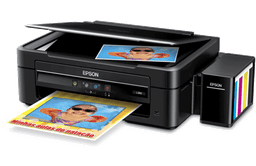
Refillable ink tanks instead of cartridges. The ET-2800 is the cheapest entry point at around $200. The ET-4850 adds an ADF and fax. Running cost is roughly a tenth of cartridge models. Higher upfront price, much lower ongoing.
Expression
Cartridge-based home inkjets. Expression Photo models are aimed at the photo enthusiast market and use six inks for better gradient. Expression Home is the basic family printer line.
WorkForce
Small office cartridge inkjets. Higher duty cycle than Expression, ADF on most models, fax on the higher-end WF-Pro lineup. Many of these have been quietly superseded by EcoTank Pro models.
SureColor
Pro photo and graphics printers, including wide-format. Not relevant unless you are doing studio photo or design work.
Common Epson printer problems
Printer in error state on Windows
Usually a stuck print job or a driver communication issue. Open Devices and Printers, right-click the Epson, choose See what's printing, then Cancel All Documents from the Printer menu. Restart the Print Spooler service. If the error returns, uninstall the printer driver fully via Epson's uninstaller utility (not just from Settings) and reinstall the latest driver from epson.com.
Ink pad service required (end-of-service message)
Epson inkjets have a felt waste-ink pad that collects ink from cleaning cycles. The printer counts cleaning cycles and shuts itself down when it estimates the pad is full. On older models you can reset the counter with the SSC Service Utility or the Epson Adjustment Program (paid). On newer models Epson will only reset the counter at an authorised service center, and the printer is often not worth the service cost.
EcoTank refilling fills slowly or overflows
The EcoTank refill bottles are keyed to specific tank shapes and will only flow when the bottle is inverted into the correct tank. If the bottle drips slowly, you have the right bottle and it is working as designed (gravity-fed, no need to squeeze). If ink pours out, you have the wrong bottle or a counterfeit. Always use Epson 502, 522, 552, 664, or 774 series ink as specified for your model.
Black ink prints faded or banded
Most often a nozzle clog from the printer sitting unused. Run the head cleaning utility, print a nozzle check, repeat once or twice if needed. If the gaps stay in the same place after three cycles, the head needs a deeper clean. On EcoTank you can remove the head and soak the bottom in distilled water (head down only) for fifteen minutes, blot, reseat. On cartridge models it is usually cheaper to replace the cartridge.
Scanner connects but Scan to Computer fails
This needs the Epson Event Manager (or Epson ScanSmart on newer models) installed on the receiving computer with the scanner whitelisted in your firewall. The printer's scan target list is built from devices it discovers via Bonjour, so if the destination computer is on a different VLAN or its firewall blocks port 5353, it will not appear in the list.
Epson drivers and downloads
Epson drivers are at epson.com/support. Search by model. The combined installer pulls the driver, scanner driver, Event Manager, and Software Updater. The Software Updater is worth installing because Epson does not push driver updates through Windows Update.
What to buy and what to skip
Buy EcoTank unless you have a hard reason not to. The break-even point versus a cartridge printer is around 800 pages of total lifetime printing, which most households hit inside a year. ET-2800 for casual home use, ET-4850 if you need an ADF or fax, ET-15000 if you want A3. Avoid the entry-level Expression Home XP models, they are slow and the cartridges cost more than the printer in two years of use.
Epson printer FAQs
Are EcoTank inks safe to use, or do they clog?
Epson EcoTank dye and pigment inks are formulated for the EcoTank print heads and rarely clog if you print at least once a week. Sitting idle for two months is when problems start. If you know you will not print regularly, run a nozzle check and a head cleaning monthly to keep the system primed.
Why does Epson ask me to register the printer?
Registration triggers a 2 or 3 year extended warranty on EcoTank models depending on region. Worth doing because the standard warranty is only 1 year and EcoTank repairs are expensive out of warranty.
Will an Epson EcoTank work on a Chromebook?
Yes. Most recent EcoTank models support Mopria and AirPrint, both of which are recognised by Chrome OS. Set the printer up on WiFi first via the Epson Smart Panel mobile app, then add it from Chrome OS print settings.
Epson Setup & Troubleshooting Guides
All guidesStep‑by‑step guides for common Epson printer setup, driver, and error problems.